Threads Video Downloader
Save Threads Videos Instantly Without Login
Search
Save Threads Videos Instantly Without Login
First, open the Threads app or use your browser to find the post containing the video you want to save. Tap the "..." icon and select "Copy Link" to get the video URL.
Next, head over to Threads Video Downloader and paste the copied URL into the input box. Once pasted, click or tap the "Search" button on the right.
Our system will analyze the video and display available quality options. Select your preferred resolution and hit the download button to save the Threads video directly to your local folder on your phone or PC.
Link2Take isn’t just a tool for Threads. We know that great content is everywhere. That’s why we’ve expanded our support to over 300 major platforms worldwide, including YouTube, Twitter (X), Vimeo, Facebook, and TikTok. Stop juggling multiple tools and start building your digital library all in one place.

Our Threads Video Downloader offers all its features entirely for free. There are no hidden fees, no registration required, and definitely no annoying subscriptions.
As a web-based online tool, you can access our Threads downloader from anywhere—whether you are using an iPhone, Android, or PC. No installation is needed.
We prioritize your safety. No account linking or personal information is ever required, allowing you to download Threads videos with total anonymity and peace of mind.
We’ve poured our focus into making Link2Take the smoothest experience possible. It’s more than just a simple downloader; it’s a platform built for user-friendliness and security. We’ve cut out the fluff and the "hoops" so you can get your favorite Threads content onto your device in seconds. Give it a try and feel the difference!
Tired of staring at a "Processing..." screen for ages? Our Threads Video Downloader runs on optimized, dedicated servers to ensure lightning-fast processing. Even for high-quality, long-form videos, we handle the heavy lifting quickly so you can get your download done even during a busy day. We value your time as much as you do.
A common complaint in communities like Reddit is that many tools force you to log in with your Instagram account. That’s a huge red flag for security. Link2Take sticks to a "Strictly No Login" policy. By not linking your account, your browsing history and personal data stay private from Meta or third parties.
Tools with too many "bells and whistles" often end up being confusing. Our interface is so clean that even a first-time visitor can figure it out in half a second. We’ve removed unnecessary distractions to focus on the search bar. Even if you aren't "tech-savvy," saving a video will feel as natural as using your favorite app.
We never collect data on what you download or what you search for. While many free services sell user data to advertisers, Link2Take puts your trust first. No emails, no surveys, no tracking. Just come, download, and go. This transparency is why users who value privacy choose us.
4.9, 544 Ratings
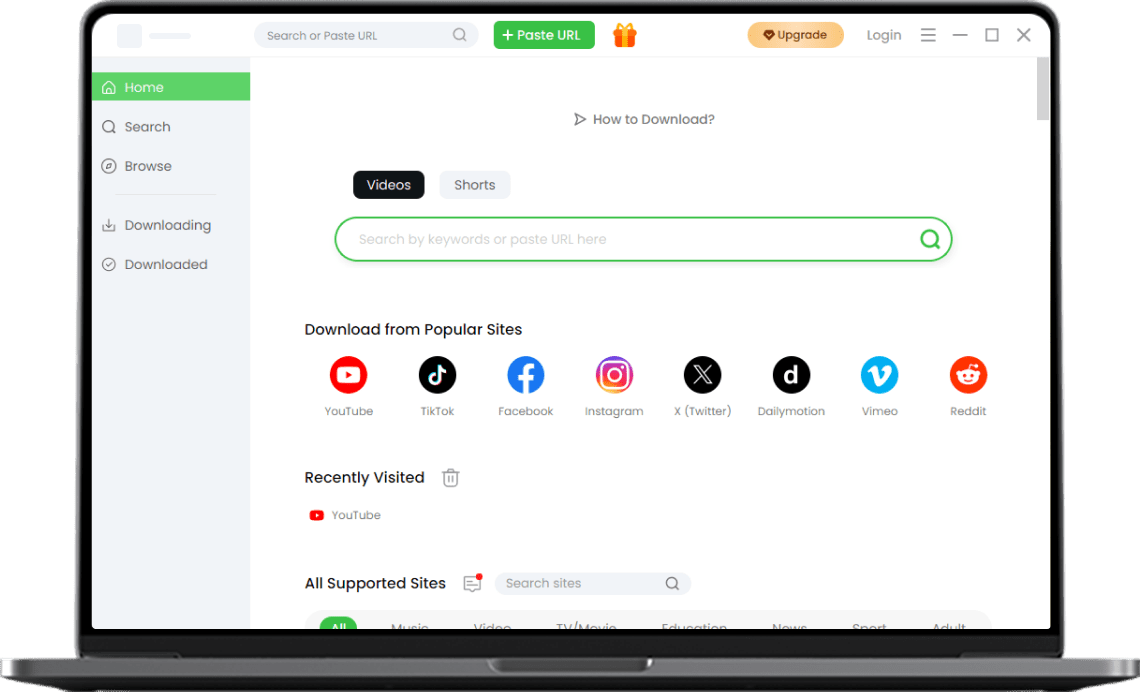
Do you want to save Threads videos in higher resolutions or more efficiently? Our Pro Video Downloader is the perfect choice. It takes the convenience of our online version and adds powerful upgrades like batch downloading and support for 4K quality. Available for Windows, Mac, and Android, this high-performance tool delivers the ultimate multimedia experience.
The most reliable and easiest way is using an online downloader like Link2Take. You don't need to install any special apps. Just copy the URL of the Threads post, paste it into the search bar on the Link2Take Threads Video Downloader, and you're done. It works perfectly across iPhone, Android, and PC, making it the go-to choice for beginners.
If you want to manage your videos more professionally on a PC or mobile, we highly recommend our Pro Video Downloader. Unlike basic browser tools, this app is optimized for performance, allowing for batch saves and high-definition captures without quality loss. It’s a must-have app for frequent content creators and curators.
It's incredibly simple for iPhone users! Just copy the link from the Threads app, open Safari, and head to the Link2Take Threads Video Downloader to paste and download. Since it works directly in Safari, it's a secure method that doesn't require third-party app installations. You can find your saved videos in the "Files" app or move them directly to your Camera Roll.
No need to worry. Using Link2Take to save a video is completely private. Neither the original poster nor the Threads platform will be notified. You remain 100% anonymous, making it perfect for creating a private archive of your favorite content.
Videos saved from Threads should be for personal viewing only. The copyright belongs to the original creator. Reposting without permission could lead to copyright infringement. If you want to share someone's content, we recommend using the official Threads "Repost" feature or asking the creator for permission first.
If you like our Threads Video Downloader, please show it to us!
4.9 of 5 stars, 553 ratings
Last updated: 2026-01-09